 English
 Français
 Español
 Українська
 Deutsch
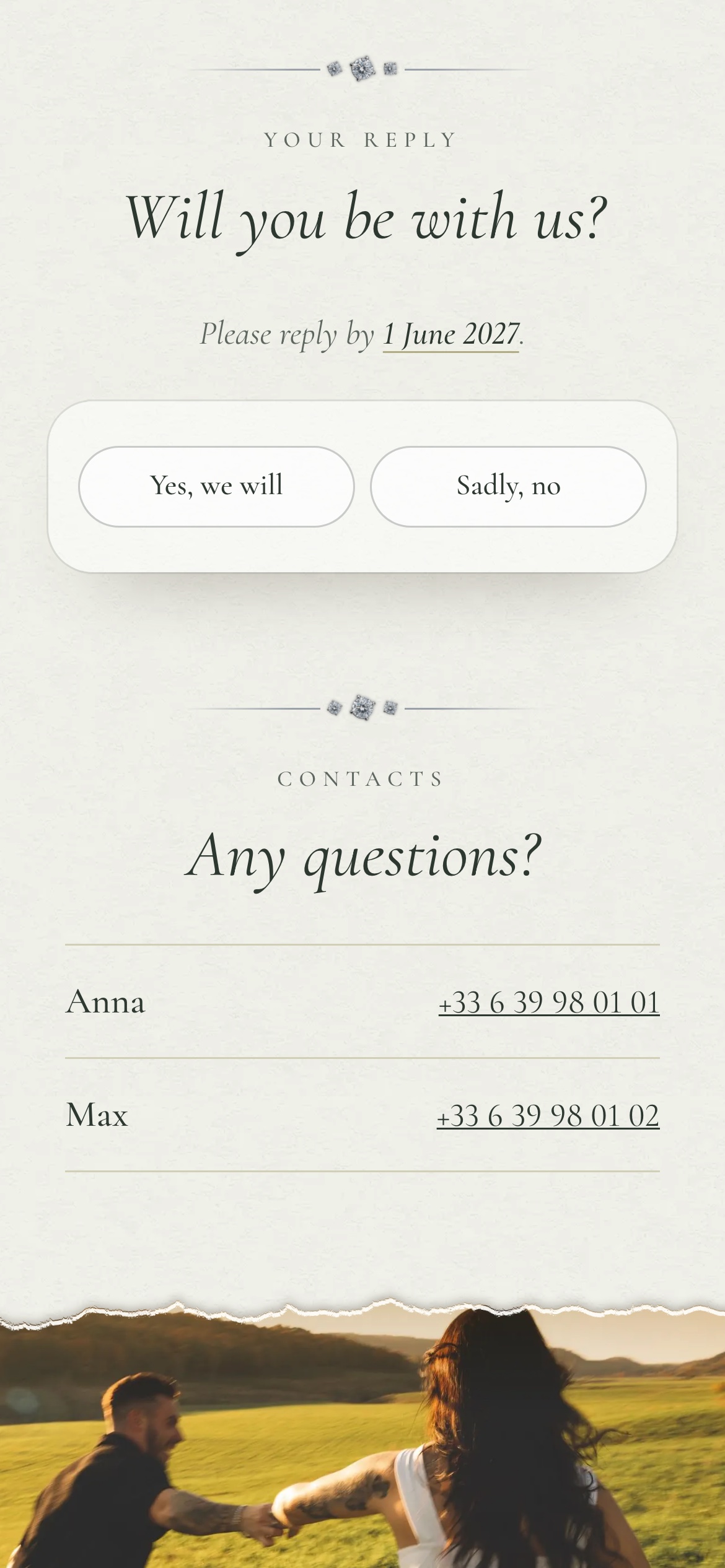

First, a clear reply-by date 📅
Without a date guests put the answer off; with one, they reply. So the date goes in the invitation and in every reminder. In our invitations it sits right next to the reply form. How to choose it is in our guide how to set up RSVP for your wedding.
Who to remind
Only the guests who have not answered. Open the answers next to your guest list and mark who is missing. In our invitations every reply lands in a Google Sheet shared with you and in your inbox, so the list takes a few minutes.
At a wedding we made an invitation for, older relatives answered last: they opened the link, but not all of them reached the form. Call them instead, and fill in the form for them: it opens from the same link.
How to remind without it feeling awkward
Personally. A reminder in the group chat is read by everyone and answered by few. A few rules:
- one short message, not three
- the link and the date in the text, so nobody has to search
- the tone you would use with that person anyway
- not "you still haven’t replied" but "we’d love to know if you can make it"
Reminder texts to copy 💬
Change the words in brackets and send it where the person usually answers: WhatsApp, iMessage, a text or an email.
For friends:
Hi! We’re counting guests for the wedding. Could you let us know by [date] if you can make it? It’s one short form at the end of the invitation: [link]
For family:
Hello! A little reminder about our wedding on [wedding date]. We’d be so happy to see you. Could you let us know by [date] whether you can come? The form is at the very end: [link]
For a couple or a family with children:
Hi! We can’t wait to see you on [wedding date]. So we get everything right, could you tell us by [date] how many of you are coming, and if the children are too? [link]
For guests travelling in:
Hi! We know the trip takes some planning. If you can, let us know by [date] whether it works for you - the plan of the day and every place on a map are in the invitation: [link]
The last one, the day before you give the venue the final number:
Hi! Tomorrow we give the venue our final number. Could you tell us today if you’re coming? [link] Thank you!
Want the reply form these texts point to? See your invitation with your names.
How to need fewer reminders
The best reminder is the one you never send. Three things that get answers sooner:
- a clear reply-by date in the invitation itself
- the link sent to each guest personally, not only to the group chat
- only the questions you will use: each extra one is a reason to leave the form for later
All of this fits in one invitation: see how to make a digital wedding invitation, step by step.
See it with your names
An invitation with the reply form and the date next to it takes a few minutes to make yourselves. Pick one of our designs, see the prices, and look at it with your names - free, no account. See it with your names