 English
 Français
 Español
 Українська
 Deutsch
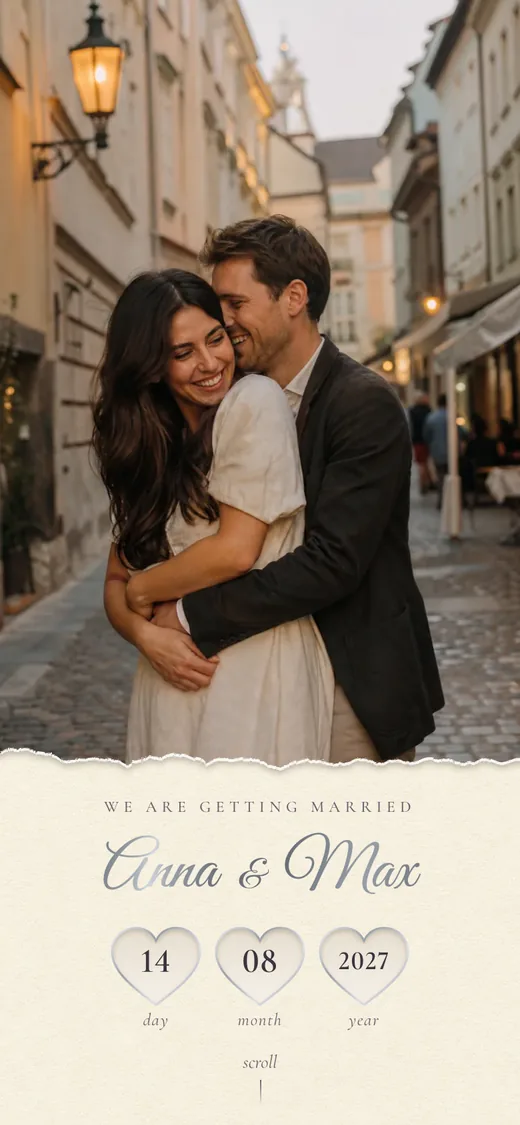

Step 1. Set the reply-by date 📅
4 to 8 weeks before the wedding. Count back from the day your venue or caterer needs the final number, and leave yourselves time for the seating plan and for the guests who answer late.
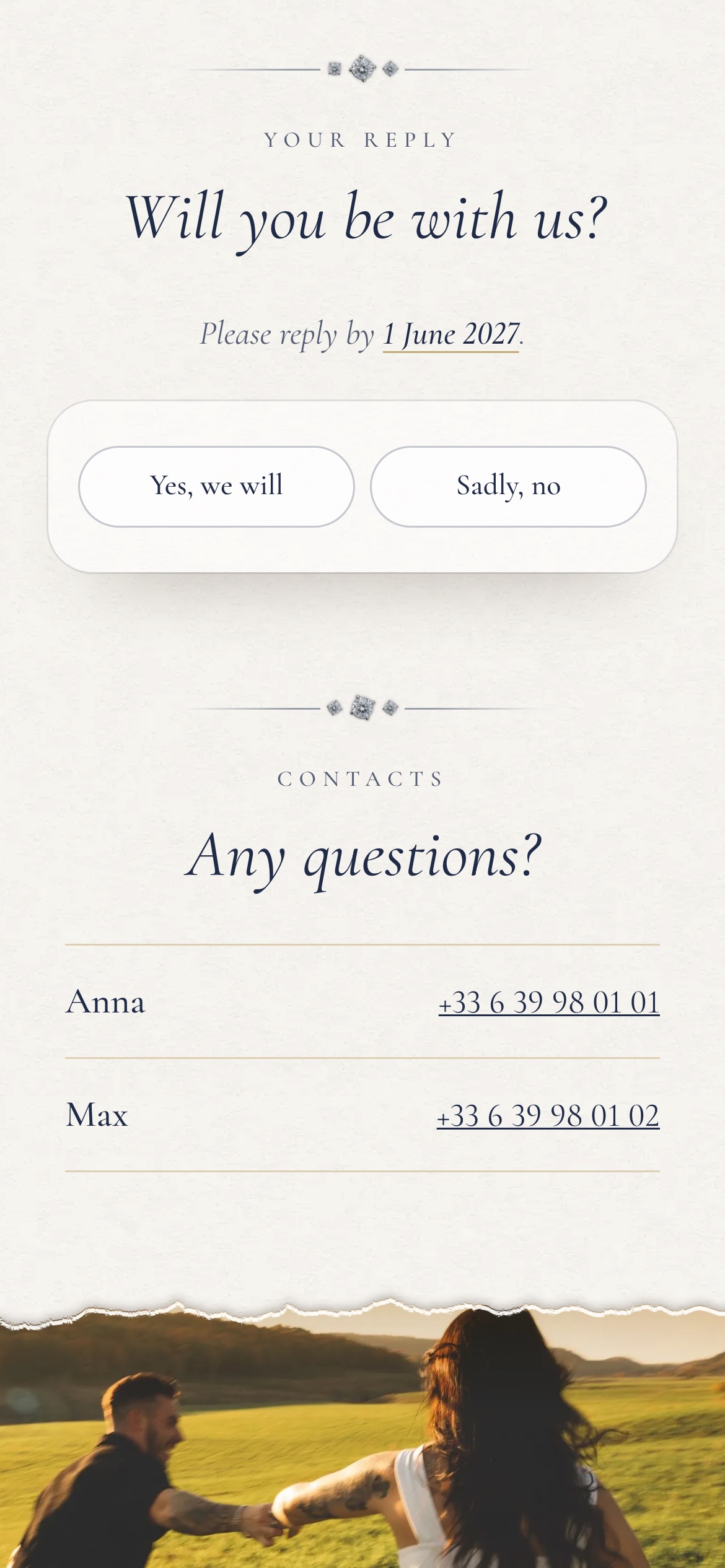
Write the date in the invitation, right next to the reply form. Without a date guests put the answer off; with one, they reply.
Make your reply form with this date next to it - see it with your names.
Step 2. Choose the questions
The form always asks for names and whether the guest is coming. Add only what someone will act on:
- How many, and children
- The venue counts seats and chairs; children often have their own menu.
- Food
- Allergies and vegetarians, for the caterer.
- Bus seats or a room
- Only if you lay on transport or book a hotel for guests travelling in.
- A song and a message
- Not needed, but guests like them, and the playlist writes itself.
Basic asks the main ones: how many of you, children, food and allergies. On Premium you choose the questions and can add up to three of your own. Each extra question is one more reason to leave the form for later.
Step 3. Make "one reply per family" clear
The most common mix-up: a couple or a family answers twice, or each waits for the other and nobody answers. Say it in the invitation, in one line next to the date:
One reply per family, please - just tell us how many of you are coming.
The "how many" question does the rest: one row in the sheet per household.
Step 4. Test it before you send ✅
Open your link, send one test answer under the name "Test", and check that the row appears in your Google Sheet and the email reaches you. The row stays, so leave it out when you count. Five minutes now saves the surprise of answers that went nowhere.
Step 5. Read the answers
In our invitations each answer arrives two ways at once. How couples use them:
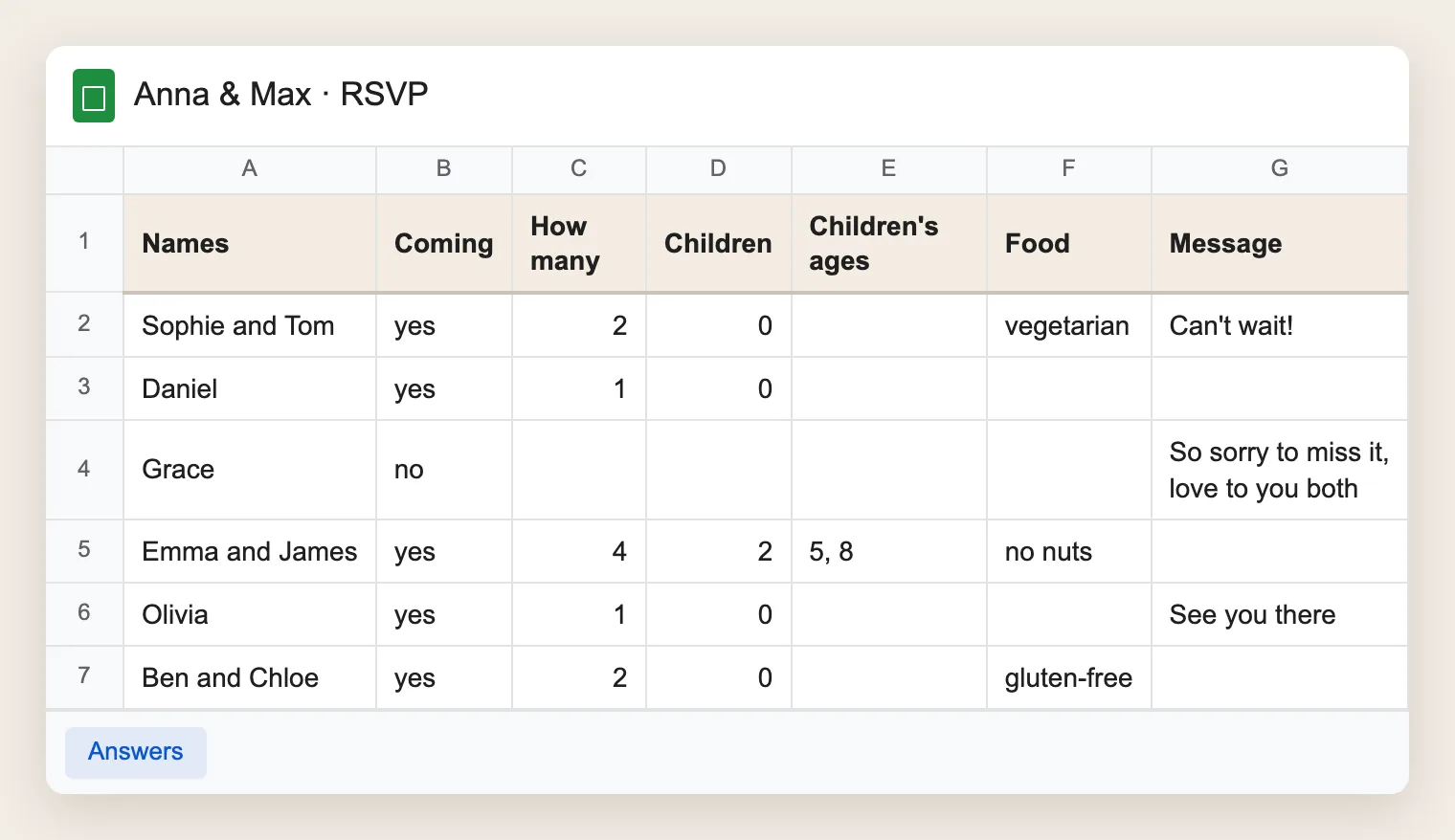
- The Google Sheet
- One row per reply: filter by "Coming" and by food, add up the number of guests.
- An email per reply
- For a small wedding the inbox is enough; nothing gets lost in a group chat.
- The Sheet for the venue
- Download it or make a copy for the venue or caterer, or send them the totals.
- The silent ones
- After the date, write or call the guests who are not in the sheet yet.
Ready texts for that last step are in our guide how to remind guests to RSVP. What the word itself means, for guests who ask, is in what does RSVP mean on a wedding invitation.
How much does it cost?
One payment per wedding, for any number of guests. Basic is €39: one language, music from our library and the RSVP; each extra language is €15. Premium is €89: the RSVP questions you choose, your own colours, your own song on request, and your invitation in every language your guests read: English, Ukrainian, Spanish, French and German. Making it is free; you pay only when you publish. All plans are on the pricing page.
See it with your names
The reply form sits at the end of every one of our designs, with your date next to it, and the answers go to a Google Sheet shared with you - see how the RSVP works. Type your names on the home page and look: free, no account. See it with your names